A product can be updated in your store at any time by accessing its details. Saved changes are instantly visible in your online store.
Sommaire
Edit a product
Edit product price
Edit a product
To edit a product:
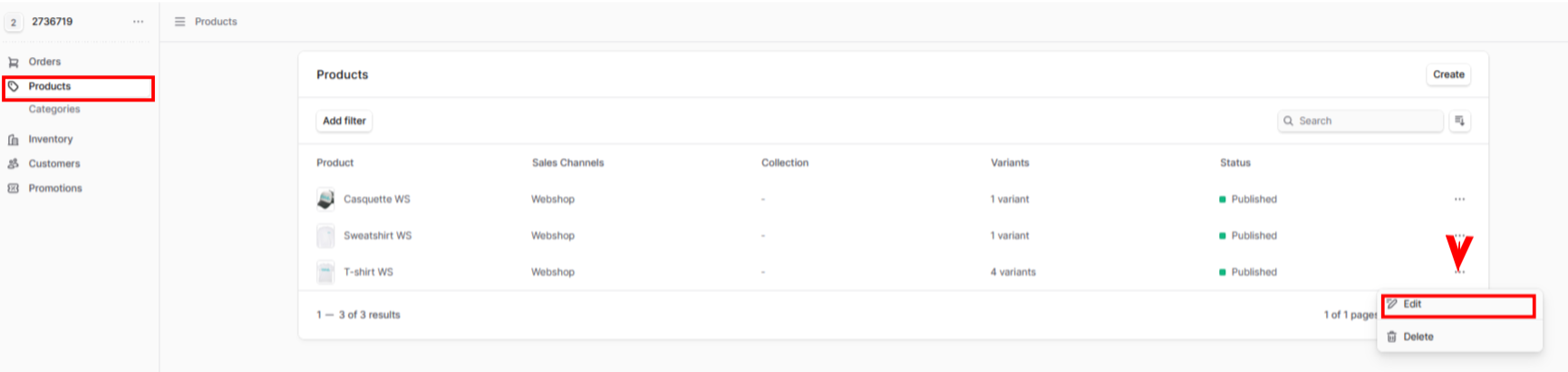
- From your store's admin, go to Store → Products.
- Your Product list will be displayed.
- Click the three-dot icon to the right of the product and click Edit.
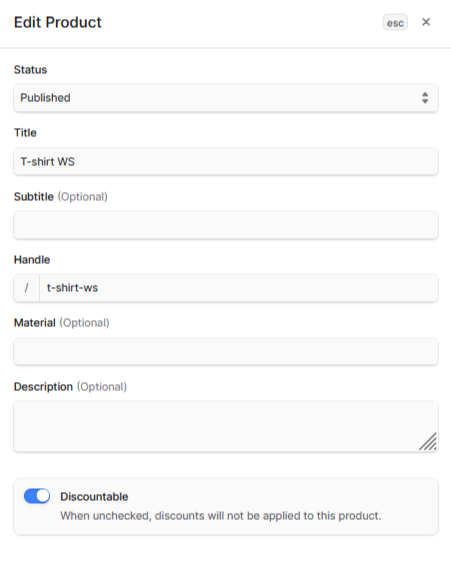
- In the Edit product window, modify the following settings: Status, Title, Subtitle (Optional), Identifier, Material (Optional), Description (Optional).
Note:
The Discountable feature is checked by default. If this option is unchecked, discounts will not be applied to this product.
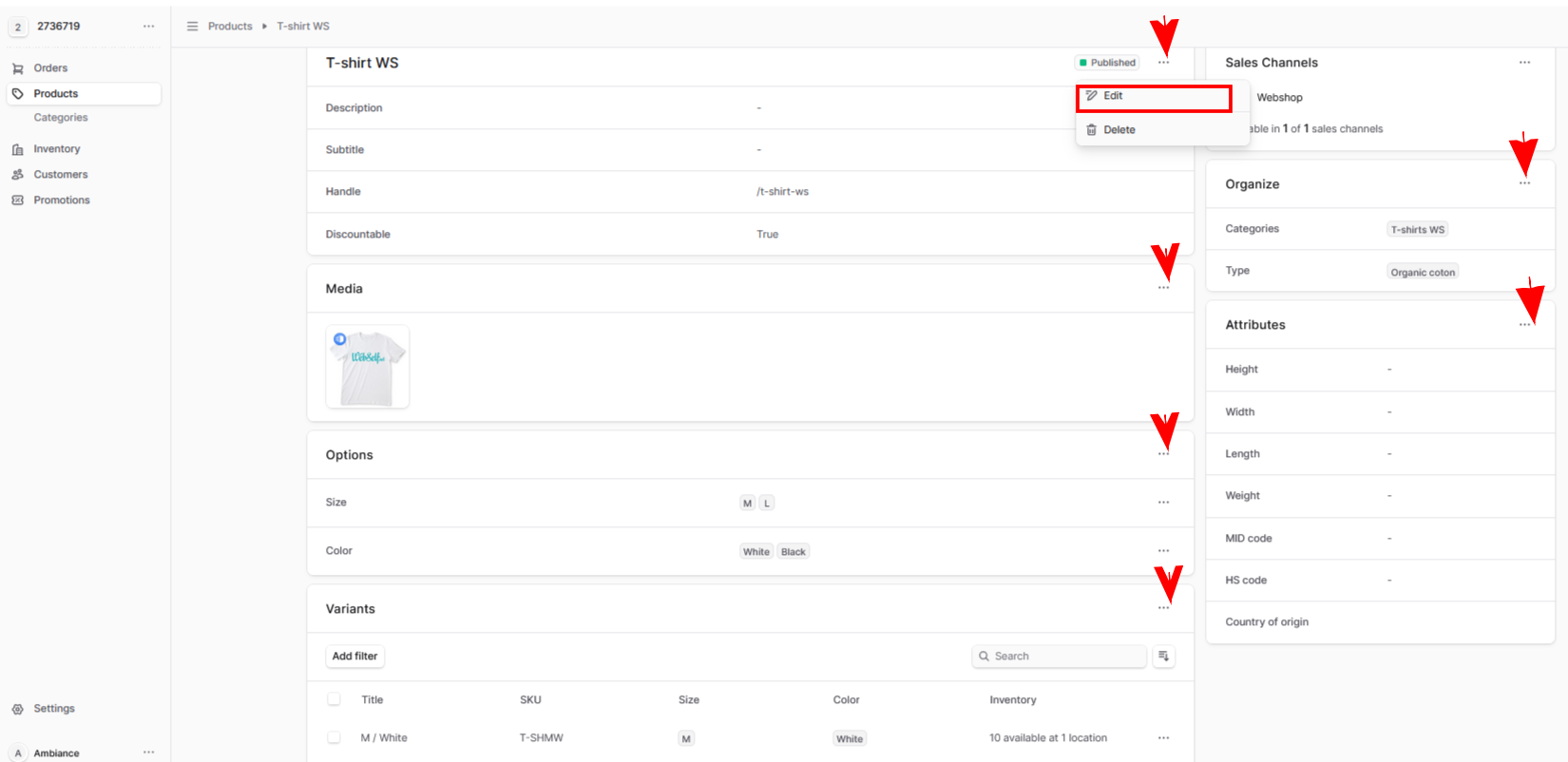
If you need to edit product details in the General, Media, Options, Variants, Organization, and Attributes sections:
- Close down the Edit product window.
- Click the three-dot icon to the right of the desired section and click Edit.
-
Make changes to the desired sections.
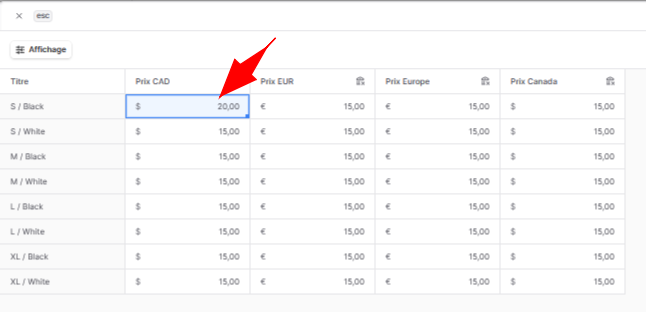
Edit a product's price
To change a product's price:
- Go to the Product variants window.
- Click the three-dot icon on the right.
- Click Edit price.
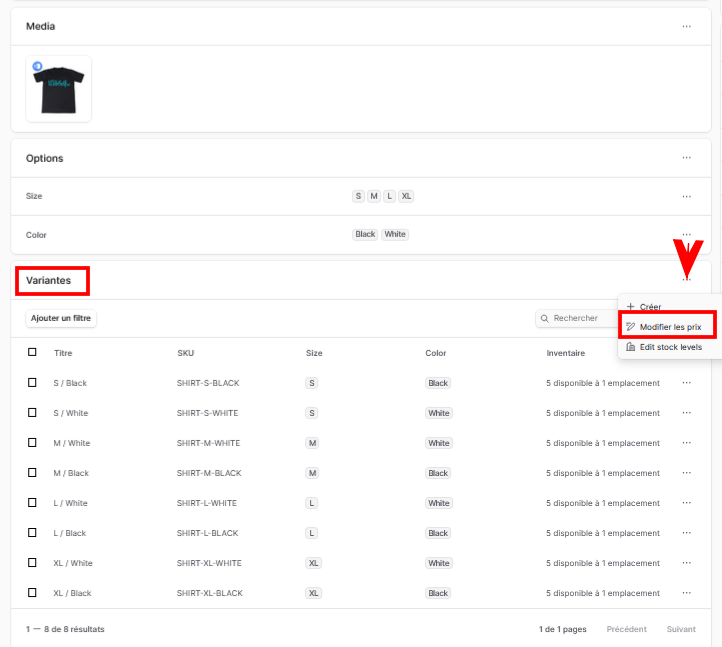
- Find the Product variant and enter the New Price.
To know more: Product variants →